Buyers can visit your Openn Negotiation campaign from your realestate.com.au listing.
To avoid buyers waiting to place their bid until the day of the Final Bidding Stage, it is recommended to initially list the property as Private Treaty on advertising portals and then switch to an Auction when there are multiple bids or it's close to the Final Bidding Stage.
Instructions for connecting your Openn negotiation listing to realestate.com
- Navigate to the listing and retrieve your invite link through the Manage menu
- On realestate.com.au or your CRM, enter the copied URL into the External Links section
- Save your listing on your CRM or realestate.com.au
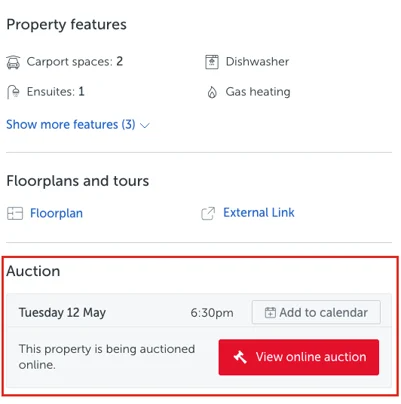
Updating your listing on realestate.com.au will result in an immediate effect to your listing with a red button appearing on your listing, directly linking to your Openn Negotiation listing. Updating via CRM may take up to 30 minutes to take effect.
To enable this feature, the property listing type on realestate.com.au must be an auction.
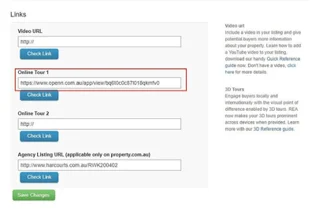 | 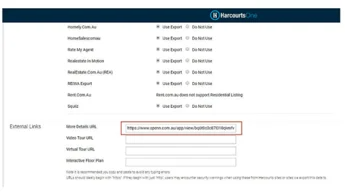 |
| REA Example | CRM Example |
Was this article helpful?
That’s Great!
Thank you for your feedback
Sorry! We couldn't be helpful
Thank you for your feedback
Feedback sent
We appreciate your effort and will try to fix the article