The article explains how to accept a sole bidder
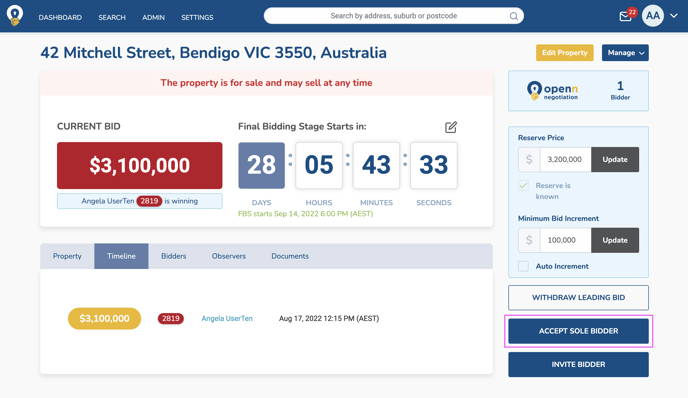
In the event you have A) a maximum of one active bidder and 2) have met reserve, you will be able to sell the property to a sole bidder without adjusting the Final Bidding Stage date. This button is not available without these conditions being met.
SELL TO A SOLE BIDDER
- Select Accept Sole Bidder and follow the confirmation prompts
- The buyer will then receive a notification to confirm the purchase on the app before the agent can generate the final contract
Was this article helpful?
That’s Great!
Thank you for your feedback
Sorry! We couldn't be helpful
Thank you for your feedback
Feedback sent
We appreciate your effort and will try to fix the article