This article describes how to generate a QR code that directs buyers directly to your property listing on Openn
To ensure maximum readability, it is recommended to choose high-contrast colours when customising the colour of your QR code, as low contrast selections may pose difficulties for older devices to read the code.
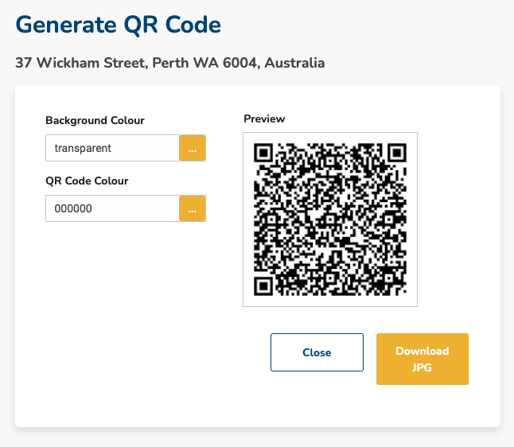
Generate a QR code
- Select Manage and Generate QR Code
- Update the colours as desired and download the JPG for use in your marketing materials

Was this article helpful?
That’s Great!
Thank you for your feedback
Sorry! We couldn't be helpful
Thank you for your feedback
Feedback sent
We appreciate your effort and will try to fix the article